Pages

Showing posts with label vlc media player. Show all posts

Saturday, February 18, 2012

VLC 2.0 Has Been Released, Download Links Inside

We have followed the latest VLC development ever since Videolan pushed the first build of the media player’s new version to the public ftp server. It did not take long after that initial release before the first release candidate build was made available.
The developers today have released the final version of the media player. Interested users can download it directly from the official website where it is available for Microsoft Windows, Apple Macintosh and Linux operating systems. The 64-bit version of Windows has not been posted yet on the VLC 2.0 download page. Only a 64-bit Mac OS X version has been posted yet. It is not clear if the developers have postponed the released of the 64-bit Windows version, or if they plan to release the first official 64-bit release for the operating system in one of the next releases instead.
The release notes lists all the important changes of VLC 2.0 Twoflower sorted into groups such as video, audio, formats or professional users.
The developers have added experimental Blu-Ray disc support to VLC 2.0. It is experimental because of its limitations. This first version does not support menus yet, and does not ship with AACS and BD+ DRM libraries that are needed to play back copy protected Blu-Ray discs.
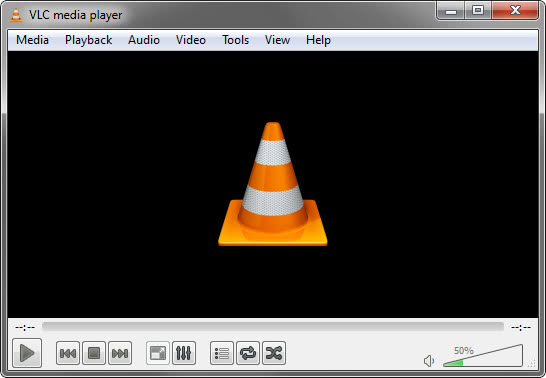
vlc 2.0 media player
Other changes include a rewritten video output core and modules, new video outputs for Windows 7, Android and iOS, and multi-threaded decoding for H.264, MPEG-4 and WebM. The developers have added support for several professional codecs and formats, including HD and 10bits codecs as well as SDI and HD-SDI card support for input on Linux.
Mac users benefit from extensions support and OS X Lion integration, continued support for OS X 10.5 and Power PC users, and support for all QTKit devices.
VLC 2.0 improves the decoding performance on multi-core processor systems, systems that support gpu hardware decoding and mobile hardware the player runs on. A click on Tools > Preferences > Input & Codecs > Use GPU accelerated decoding reveals whether gpu hardware acceleration is enabled in the media player. It is turned off by default.
Users who do not want VLC to remember which videos they played in the media player can disable the history feature in the Interface Settings under Save recently played items.
Have you worked with VLC 2.0 already? If so, what is your opinion of the new release? Oh, and if you prefer direct links to the downloads, use this link.

Tuesday, February 14, 2012

VLC Media Player 2.0 Final To Release This Week

Back in January we reported that VideoLan was about to release VLC 2.0, and that a first release candidate was to be released in that week. This release candidate has been out for about a month now, and VideoLan is preparing to ship the final version of VLC Media Player 2.0 later this week.

The developers have already pushed a Linux test version of VLC 2.0 to the test servers indicating that a release is near.

The new version of VLC will introduce several new features to the client that should get lots of users excited about the release. Probably the biggest feature addition is support for Blu-Ray media that users can then play in the video player, provided that their computer has a Blu-Ray drive. VideoLan notes that the feature is experimental, and that copy protected Blu-Rays won’t play in this version of the player.

Other features include ports of VLC to Android, iOS and 64-bit versions of the Windows operating system, C-64 SID file playback support, and a switch to Direct2D video outputs on Windows 7 and Windows Vista systems.

Changes do not stop here though, the official changelog lists more than a hundred changes and improvements over previous versions of the video player. If you are interested in a summary of those changes, check out our VLC 2.0 coverage from back in January.

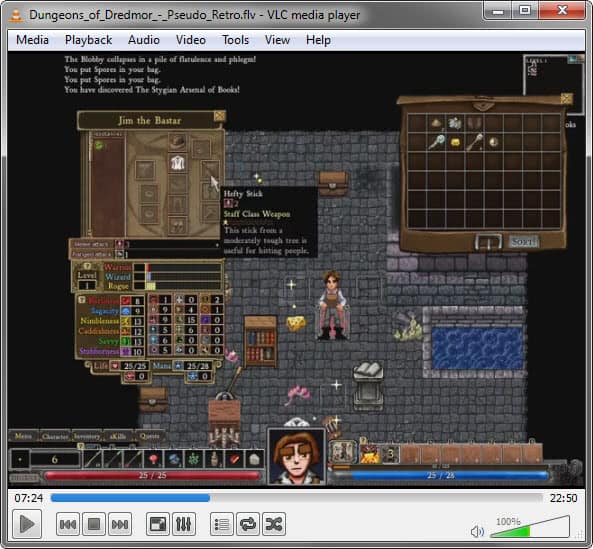
vlc media player 20

VLC users can check for updates frequently under Help > Check for Updates or on the official VideoLan website where the new versions will be available for download once they have been released.

Adventurous users can download the release candidate from the following address: VLC Download Server

The Linux version is listed in the root directory. Windows and Mac users need to click on the respective directories for downloads for their operating systems.

Some Windows users have reported that the VLC 2.0 RC1 is running slow on their systems. They managed to resolve the issue by enabling GPU decoding in the options. This can be done by clicking on Preferences > Input & Codecs > Use GPU accelerated decoding.