Pages

Showing posts with label links. Show all posts

Tuesday, January 31, 2012

Mark All Visited Links In A Custom Color

Visited links by default display in a different color than links that have not been visited. These different link colors act as visual indicators on websites, that make it clear on first sight whether you have opened a link on a page or not. This is especially useful on sites with dynamic listings, like Hacker News for instance or Reddit where contents change often throughout the day, but also for research to distinguish visited resources from unvisited.

One of the issues that you may experience on today’s Internet are sites which change the visited link color via CSS so that it looks like to the normal link color on the site.

Visited is a Firefox add-on that paints all visited links in a color of your choosing. It overrides the defined link colors on all websites, so that visited links can be distinguished from unvisited ones.

The default link color has been set to gold, which should highlights visited links clearly on most pages, but not all. It is possible to change the color in the advanced Firefox preferences (and unfortunately not in an options menu via the about:addons page).

To change the link color, you need to enter about:config in the Firefox address bar to open the advanced configuration of the browser. Filter for the parameter extensions.visited.color.visited and change the value with a double-click. You can enter a color name or color code beginning with # in the value field. You can for instance change it to #800080 to turn the visited link color to purple.
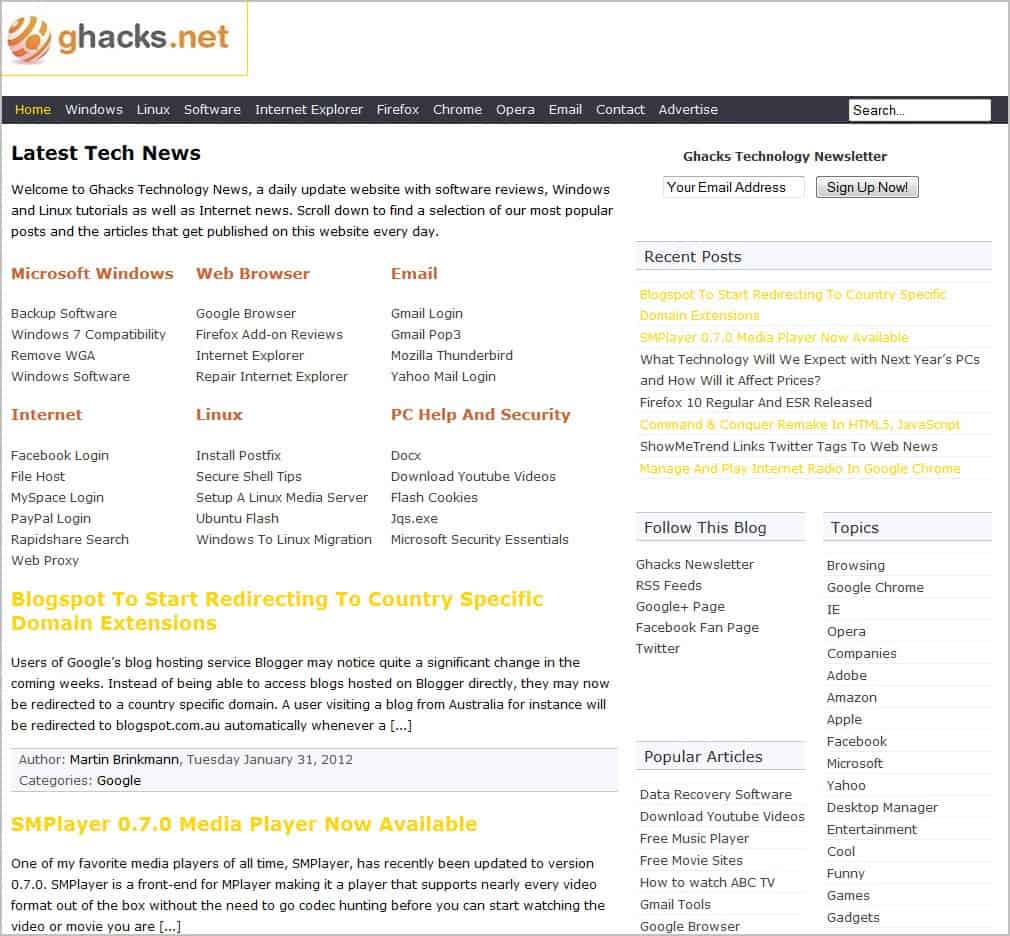
ghacks visited links

The feature can be activated or deactivated with the shortcut code Alt-v for text links, or Alt-Shift-v for image links. It is unfortunately not possible to disable the painting of links on selected sites (it is for instance irritating in admin consoles and interfaces).

Firefox users can download and install the add-on at the official Mozilla Add-ons repository.


Wednesday, December 14, 2011

Queue Links in Firefox

How do you handle links that you encounter while reading a document in Firefox? I usually open the links in new tabs, and continue to read the article I’m currently reading. Sometimes though I avoid this, read the article to the end and look at links that are of interest afterwards. Both options have disadvantages. Opening links straight away opens a new tab in the browser which adds to the browser’s memory usage and may even focus on that tab depending on how you open it. Opening links afterwards forces you to scroll through the article again. It also may mean that you have to open multiple links in tabs or jump back and forth between newly opened links and the original document.

Page Queue offers a simple alternative that some Firefox users may prefer. It can be used to add links to a page queue. The advantage here is that the links are saved but not opened directly. The queue works on a first in first out basis.

You can add links from an article that you are reading to the queue to open them later in the Firefox web browser. This is done with a right-click on a link and the selection of PagesQueue > Add link to queue.

queue links

Queued links are saved over sessions, and links from the queue are opened automatically in new tabs when the option to open a queued link is selected from the right-click menu.

The extension lacks features that would improve it significantly. There is currently no way to display the list of queued pages. An option to display the list (for instance to open a page further down the queue or to remove pages from it) is missing. Keyboard shortcuts or a button to open a queued page would be useful as well.

Firefox users can download the Page Queue extension from the official Mozilla Firefox add-on repository.


© Martin Brinkmann for gHacks Technology News | Latest Tech News, Software And Tutorials, 2011. | Permalink |
Add to del.icio.us, digg, facebook, reddit, twitter
Post tags: , ,


Tuesday, November 1, 2011

IsItOld, Check If A Link Is Still Share-Worthy On Twitter

Have you ever posted a link, image, text or video on a website or forum only to receive the discouraging “it is old” reply? Maybe you have sworn to yourself that you will never again post already known contents on that site. And while you could make sure of that manually by running a series of searches on popular search engines, you may be better off using a service such as IsItOld for the same task.

IsItOld takes a link and checks if that link has been posted on Twitter already. It is not a 100% giveaway if you have the intention to post the link on another site, but it could very well be an indicator.

All you need to do is to paste the link into the form on the IsItOld website. You can paste in any link regardless of the web page’s actual contents. This works for YouTube videos, images, plain websites and even applications.

isitold

The link scan on Twitter takes a few seconds tops. The service displays information about that link on the result’s page.

link dead

Ratings range from OK over Kinda OK to Dead. IsItOld displays the number of shares on Twitter and the time of the first share. In this example, the link was tweeted more than 3000 times in the last two years.

IsItOld cannot make decisions for you. At its core, it is nothing more than a script that checks a link’s popularity on Twitter. Twitter is however often a good indicator if something has already made the round or if it is brand new. This could be interesting for webmasters and writers who are not sure if they should cover a certain topic on their blog or website.

It is probably easier to ignore the “old” sayers on forums and social networking sites than using the IsItOld site regularly. You can run your own Is It Old checks here.


© Martin Brinkmann for gHacks Technology News | Latest Tech News, Software And Tutorials, 2011. | Permalink |
Add to del.icio.us, digg, facebook, reddit, twitter
Post tags: , ,


Tuesday, October 11, 2011

Linkify UserScripts Turns Plain Text Links Into Clickable HTML Links

Some websites display links – usually those entered by users – as plain text links instead of clickable HTML links. This may be by choice, for instance to avoid sending the site as a referrer to the linked website, or by accident if the scripts running on the website are configured improperly.

Plain text links from a user perspective are not nearly that ambivalent. Instead of clicking on the link to open it, users either have to copy and paste it or use other means to open it in their favorite web browser. This means that it will take longer to open those links.

The Firefox Internet browser has a nice feature that can be used to open non-HTML links. Just select the link text, right-click it and select to open the link in a new tab. The browser can identify plain text links automatically to display those options in the context menu.

firefox open plain text link

While that’s a great workaround if you encounter those links on an irregular basis, it may become an annoyance if you happen to encounter plain text links regularly.

That’s where the free userscript Linkify comes into play. The script turns plain text links automatically into clickable HTML links on all http pages (it is not working on https websites).

The script supports http, https, ftp and email address links that are displayed in plain text instead of the HTML code version.

This is the plain text link of the screenshot above.

plain text link

And this is the very same link after installation of the userscript.

html link

As you can see, the script has modified the plain text link on page load and turned it into a clickable link.

I have tested Linkify Plus under Firefox with Scriptish installed. It is likely that the script will also work under different web browsers, Opera or Chrome for instance. Please note that Linkify Plus can only work its magic if JavaScript is enabled for the particular website you are visiting.

You can install Linkify Plus directly from the official userscripts website.


© Martin Brinkmann for gHacks Technology News | Latest Tech News, Software And Tutorials, 2011. | Permalink |
Add to del.icio.us, digg, facebook, reddit, twitter
Post tags: , , , ,