Pages

Showing posts with label office starter. Show all posts

Friday, November 25, 2011

How To Remove The Office 2010 Starter Virtual Drive

A few days ago I wrote a brief tutorial about downloading and installing Office Starter 2010 from Microsoft. One of the “side-effects” of installing Microsoft Office Starter on the system is the creation of a virtual drive on the system. This drive is visible in Windows Explorer, usually mapped to letter q or r, but not accessible by the user. When you click on the drive you get the notification that the Location is not available and that access is denied.

Microsoft states that “Microsoft Office Starter 2010 uses the Application Virtualization (App-V) technology”, and that it “therefore requires the creation of a Virtual Drive”.
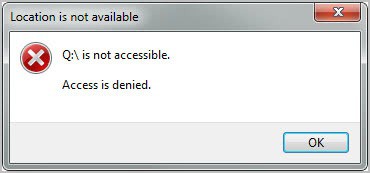
location is not available

Microsoft also notes that “this virtual drive is intentionally not accessible by end users in order to prevent accidental damage to Microsoft Office Starter’s file structure”.

While that is all fine and good, users who uninstall Office Starter will notice that the virtual drive created during installation remains on the system. And that’s a issue. It took some fiddling around to find the reason for this. Microsoft Office Click-to-Run 2010 gets installed alongside Microsoft Office Starter 2010. This is the program responsible for the creation of the virtual drive on the operating system.

It is not really clear why it is not uninstalled when Office Starter is uninstalled. Could be that Microsoft is utilizing the technology for other products as well, so that an uninstallation could prevent those programs from starting up properly.
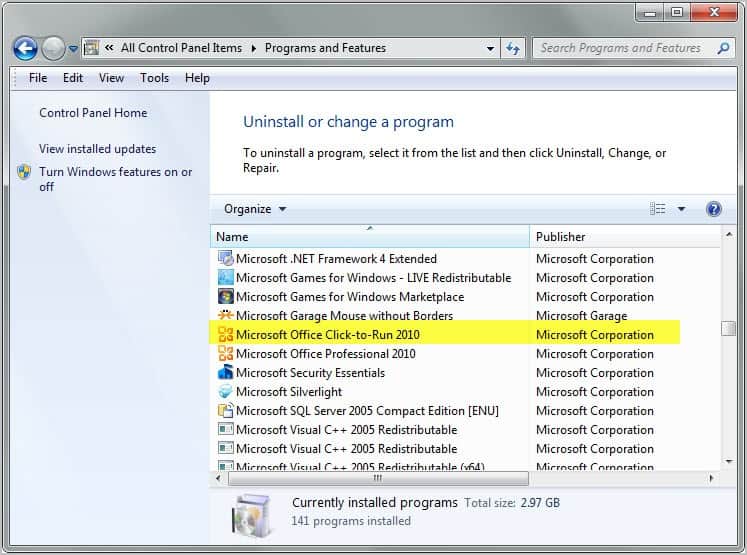
microsoft office click to run

If you are certain that no other programs depend on the Click and Run application, you can uninstall it separately. Open the Windows Control Panel and search for the Programs and Features applet.

Locate Microsoft Office Click-to-Run 2010 (or another version depending on the Office Starter version installed) and select to uninstall it.
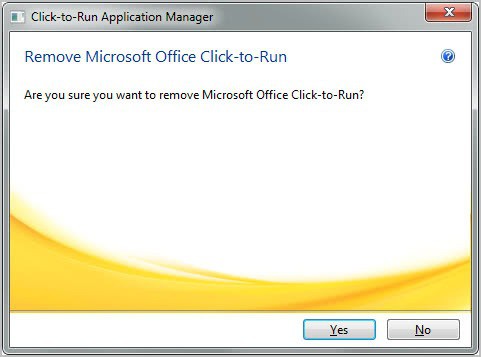
uninstall virtual drive

A restart of the computer is required to complete the removal of Office Click-to-Run and the virtual drive that it has created on the system.


© Martin Brinkmann for gHacks Technology News | Latest Tech News, Software And Tutorials, 2011. | Permalink |
Add to del.icio.us, digg, facebook, reddit, twitter
Post tags: , , ,


Wednesday, November 23, 2011

Download Microsoft Office Starter 2010

Microsoft Office 2010 is available in different editions just like the Windows operating system. There is Microsoft Office Home and Student 2010 or Office Professional 2010 for instance. And there is at least one version that is only available to OEMs: Microsoft Office Starter 2010. This version is usually only available for users who purchase a computer system at manufacturers who add it as one of the installed software programs that the system ships with.

The particular version of Office ships with basic versions of Microsoft Word and Excel, the two most popular programs. It is basically free but comes with advertisement to make up for that.

Office Starter 2010 is not available as a public download. The only way up until now was to buy a PC that ships with it to use it. Caschy now discovered that Microsoft stores Microsoft Office Starter 2010 on their servers. Downloads are publicly available and install the product on compatible systems. Compatible currently means that they will install on Windows Vista and Windows 7, but not on Windows XP or Windows 8.

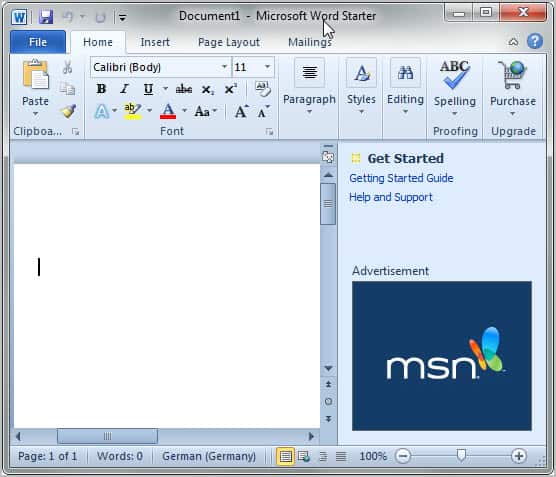
microsoft office word starter

Here is a list of available versions that you can download:

  • Microsoft Office Starter 2010 English [download]
  • Microsoft Office Starter 2010 French [download]
  • Microsoft Office Starter 2010 German [download]
  • Microsoft Office Starter 2010 Spanish [download]

I only tried those four country codes. It is likely that Microsoft Office Starter 2010 is available in different versions. Just replace the LCID string in the web address, e.g. en-us with another one. You find a list of strings on this page.

Office Starter 2010 can be installed and used without entering a product key. Also interesting: It is possible to create a portable version of Office Starter 2010 from the program’s start menu listing.

Office Starter does not offer all of the functionality that a “full” version of Office offers. It is however a suitable alternative for users who only need to do some light editing and reading.

There are definitely comparable solutions for users who do not want to use Microsoft Office. Among them Open Office, Libre Office or Google Docs.


© Martin Brinkmann for gHacks Technology News | Latest Tech News, Software And Tutorials, 2011. | Permalink |
Add to del.icio.us, digg, facebook, reddit, twitter
Post tags: , , ,