Pages

Showing posts with label windows security. Show all posts

Saturday, November 19, 2011

Microsoft Security Essentials Beta Program Sign Up

Microsoft’s free security software, Microsoft Security Essentials, has become a very popular program in the world of Windows. There is no single reason for that, factors that weight in heavily are that it is free, relatively lightweight and unobtrusive, and that it is developed by Microsoft directly.

Microsoft yesterday has opened registrations for the next version of Microsoft Security Essentials. Users who sign up early enough will get a chance to test the beta version of the security software before anyone else can do. Beta spots are limited according to the announcement on the Technet site and served on a first in first out (fifo) basis.

The beta will be released soon, considering that it will be made publicly available at the end of the year. More interesting to a wider audience, especially those who run Microsoft Security Essentials, are the planned improvements and new features that Microsoft is currently working on.

The new version of Microsoft Security Essentials comes with a new protection engine offering enhanced detection and cleanup capabilities. One of the improvements in this regard is automatic malware remediation, which basically means that the security application can clean “high-impact malware infections automatically” without user interaction.

microsoft security essentials old interface

Add to that better performance to avoid negativ performance impacts on PCs running Microsoft Security Essentials and a simplified user interface. It will be interesting to see how the simplified UI looks like, considering that many consider the current MSE interface bare-bones.

The improvements all make sense, especially the new protection engine with its updated detection and cleanup capabilities could improve the application significantly.

Users who want to sign up for the beta program need to have a Windows Live account. It is possible to create one on the sign up page or use an existing one.

It does not make much sense for most Windows users to sign up for the beta, considering that it will be available later this year for the general public.

Regardless of that, it is good to see that Microsoft is improving the free security software continuously. (via)


© Martin Brinkmann for gHacks Technology News | Latest Tech News, Software And Tutorials, 2011. | Permalink |
Add to del.icio.us, digg, facebook, reddit, twitter
Post tags: , , ,


Friday, November 4, 2011

Microsoft Releases Critical Windows Security Update

Back in October a rootkit was discovered that exploits a critical security vulnerability in the Windows operating system. We covered a detection and removal tool two days ago that would scan a PC and remove any traces of the Duqu rootkit from a system.

Microsoft today has releases a security advisory to give customers “guidance for the Windows kernel issue related to the Duqu malware”.

The advisory describes a vulnerability in TrueType font parsing that could allow elevation of privileges. Attackers who manage to exploit the vulnerability can run arbitrary code in kernel mode which would allow them to install programs, “view, change or delete data” and create new accounts with “full user rights”.

Microsoft confirms that targeted attacks are carried out currently that use the vulnerability. The overall impact is however rated as low.

Microsoft is offering a manual workaround for affected versions of Windows on the security advisory page:

On Windows XP and Windows Server 2003:

For 32-bit systems, enter the following command at an administrative command prompt:

Echo y| cacls “%windir%\system32\t2embed.dll” /E /P everyone:N

For 64-bit systems, enter the following command from an administrative command prompt:

Echo y| cacls “%windir%\system32\t2embed.dll” /E /P everyone:N

Echo y| cacls “%windir%\syswow64\t2embed.dll” /E /P everyone:N

On Windows Vista, Windows 7, Windows Server 2008, and Windows Server 2008 R2:

For 32-bit systems, enter the following command at an administrative command prompt:
Takeown.exe /f “%windir%\system32\t2embed.dll”

Icacls.exe “%windir%\system32\t2embed.dll” /deny everyone:(F)

For 64-bit systems, enter the following command at an administrative command prompt:
Takeown.exe /f “%windir%\system32\t2embed.dll”

Icacls.exe “%windir%\system32\t2embed.dll” /deny everyone:(F)

Takeown.exe /f “%windir%\syswow64\t2embed.dll”

Icacls.exe “%windir%\syswow64\t2embed.dll” /deny everyone:(F)

The workaround may impact applications that “rely on embedded font technologies”.

The workaround can be undone again the following way:

On Windows XP and Windows Server 2003:

For 32-bit systems, enter the following command at an administrative command prompt:
cacls “%windir%\system32\t2embed.dll” /E /R everyone

For 64-bit systems, enter the following command at an administrative command prompt:
cacls “%windir%\system32\t2embed.dll” /E /R everyone

cacls “%windir%\syswow64\t2embed.dll” /E /R everyone

On Windows Vista, Windows 7, Windows Server 2008, and Windows Server 2008 R2:

For 32-bit systems, enter the following command at an administrative command prompt:
Icacls.exe %WINDIR%\system32\t2embed.DLL /remove:d everyone

For 64-bit systems, enter the following command at an administrative command prompt:
Icacls.exe %WINDIR%\system32\t2embed.DLL /remove:d everyone

Icacls.exe %WINDIR%\syswow64\t2embed.DLL /remove:d everyone

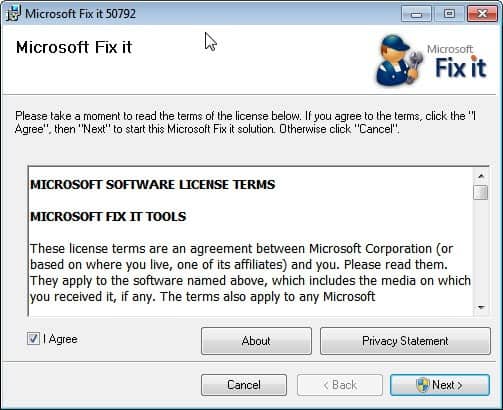
Microsoft furthermore has released a fix it solution that users can run on their system to protect it from the security vulnerability

The fix it can be downloaded from the following Microsoft Knowledge Base article.

microsoft fix-it duqu rootkit

It is recommended to apply the workaround on computer systems until Microsoft releases a security patch that resolves the issue without side effects.

Please note that there is a fix-it for enabling and one for disabling the workaround.


© Martin Brinkmann for gHacks Technology News | Latest Tech News, Software And Tutorials, 2011. | Permalink |
Add to del.icio.us, digg, facebook, reddit, twitter
Post tags: , , , ,


Wednesday, November 2, 2011

Duqu Zero-Day Exploit Discovered, Removal Tool Released

If you have been following security news lately you may have already heard about the Duqu rootkit that combines the technology of the Stuxnet rootkit with a backdoor trojan and keylogger. Duqu has been discovered on October 18 and infection reports have started to come in soon thereafter.
Not all security suites and products detect the Duqu rootkit right now which, in combination with the fact that it exploits a zero-day vulnerability in Windows, makes it a very dangerous threat. Microsoft is currently working on a patch to protect systems from the vulnerability (which would make further infections on patched PCs impossible)

Rootkit.Duqu.A is digitally signed (with a stolen and revoked certificate) which means that it targets not only 32-bit Windows systems but also 64-bit editions of the Microsoft Windows operating system. According to information posted by Bitdefender, Duqu runs for 36 days on a computer collecting information entered via the keyboard. This may include passwords, emails, conversations, logins on popular sites and even banking and credit card information.

Symantec has posted additional information about Duqu’s installer. According to Symantec’s information, Duqu is spread as a Microsoft Word document that exploits a Windows kernel vulnerability that allows code execution. When a user opens the Word document the malicious code is executed and Duqu is installed on the system.

Duqu infections have already been confirmed in countries such as France, Switzerland, India, the United Kingdom, Austria and the Netherlands.

Symantec has released a whitepaper in pdf format that contains all known details up to this point.

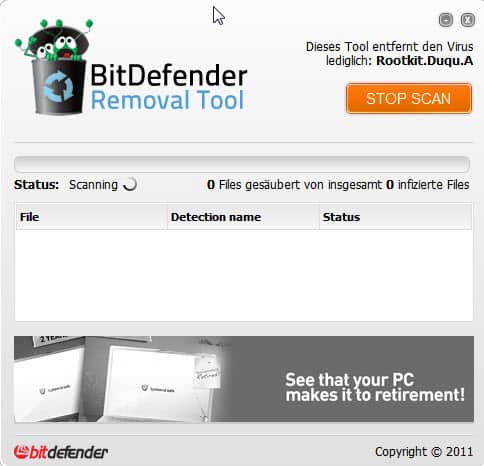
Windows users who want to make sure that their system is clean and not infected by the Duqu rootkit can use Bitdefender’s Removal Tool to scan the system and if necessary disinfect it.

duqu rootkit removal

The portable rootkit remover can be downloaded from an official Bitdefender website. All that Windows users need to do is to click on the Scan button to start the scan. The program will list any files that have been identified to be part of the Duqu rootkit. Please note that the program may require elevated rights on some machines.

Is there a way to protect your computer in the meantime? Yes, do not open Word documents locally. Use an online document viewer like Google Docs or Docs.com for that. (via)


© Martin Brinkmann for gHacks Technology News | Latest Tech News, Software And Tutorials, 2011. | Permalink |
Add to del.icio.us, digg, facebook, reddit, twitter
Post tags: , , , ,