Pages

Monday, January 2, 2012

Google Health Retired, How To Export Your Data

Google Health was a centralized health information service that allowed users to manually or automatically upload health records to the service. It acted as a management central for those records.

The service provided users with a health record summary, background and related information, as well as interactions between drugs, allergies and conditions.

Google Health became publicly available in 2008, received a redesign in 2010 and was finally shutdown on the first of January 2012.

A blog post at the official Google Blog reveals the reason for the shutdown (please note that they refers to Google Health and Google PowerMeter)

While they didn’t scale as we had hoped, we believe they did highlight the importance of access to information in areas where it’s traditionally been difficult.

Internet users who try to open the Google Health website right now will notice a service announcement on the login page.

google health

The notification links to the official service discontinuation announcement, information on how to download health records that have been uploaded to Google Health, frequently asked questions and a link to the privacy policy. The latter could be interesting for Google users who have uploaded health records to the health site. Google notes there that the company won’t “sell, rent, or share your information”.
Google Health user data will remain online until January 2013 when it will be deleted permanently. Google Health users have one year to export their data, either for safekeeping or importing into other health services such as Microsoft’s Health Vault.
A support guide explains how users can export their profile data.

On the main page of your Google Health profile, click the Download drop down next to your profile name. You can choose to download your profile records as ZIP, PDF, CCR, or CSV, or you can download your Notices as XML or HTML or you can send a copy of your profile to another personal health service via the Direct Project protocol.

Why has Google Health failed? Google mentioned that the service did not become as popular as they hoped it would. One of the main reasons, besides being US-centric, was that the service did not really offer that much besides the ability to collect health records on the website. The provided information were also publicly accessible on the Internet, and privacy must have been a concern for many users.

What’s your take on this? Let me know in the comments.


© Martin Brinkmann for gHacks Technology News | Latest Tech News, Software And Tutorials, 2012. | Permalink |
Add to del.icio.us, digg, facebook, reddit, twitter
Post tags:


2012

To compensate for this, I plan to spend 2013 doing nothing but talking about Mayans. My relationships with my friends and family may not fare well.

The Best Windows Software of 2011

This is the third part of the Ghacks best of 2011 series. In this top list, I’m going to look at the best software for the Microsoft Windows operating system that we have reviewed in 2011 here at Ghacks. We posted a total of 937 Windows related stories in 2011, of which the majority were software related.

It took quite some time to go through that list to pick the applications that should be included in the best of list.

Keep in mind that this is a personal selection. Please leave a comment if you think a program is missing from the list.

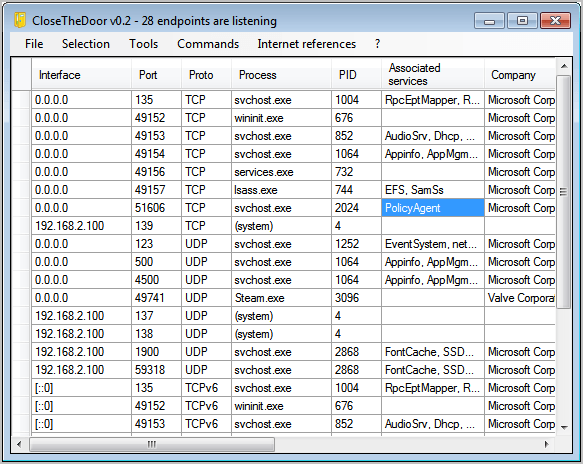
Close The Door – Displays the list of open TCP and UDP ports, useful to harden the system by closing ports that do not need to be open.

closethedoor


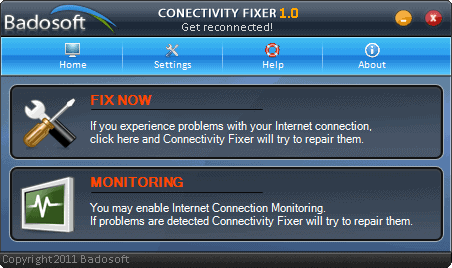
Connectivity Fixer – Attempts to repair the Internet connection automatically.

internet connectivity fixer


Desk Duster – Program that hides desktop icons automatically after a set period of time.


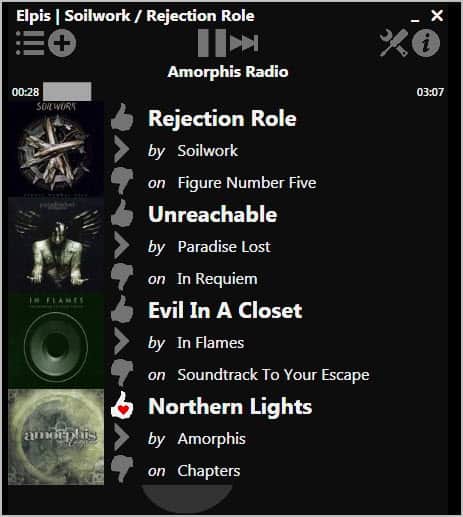
Elpis Pandora Desktop Client – A free desktop player for the popular Pandora Internet radio. (Alternative for non-US users: Listen to and Download Music from blocked Music Services)

elpis pandora radio client


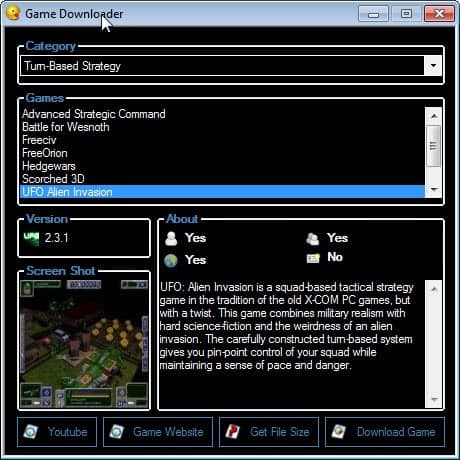
Game Downloader – Links to more than one hundred free games that are available for download on the Internet.

pc game downloader


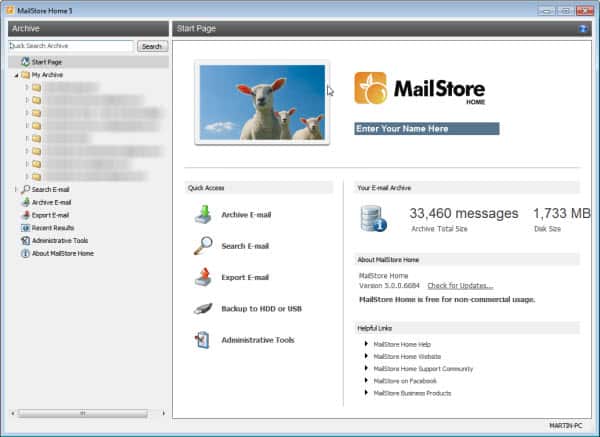
Mailstore Home – Use it to backup, archive and restore email accounts. The program supports several popular desktop clients such as Outlook or Thunderbird, and direct downloads via Pop3 and SMTP.

mailstore home 5


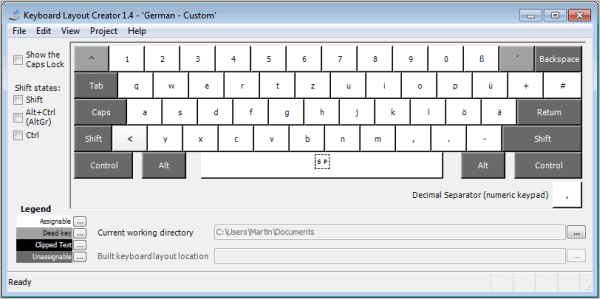
Microsoft Keyboard Layout Creator – Create custom keyboard layouts with the help of this program.

keyboard-layout


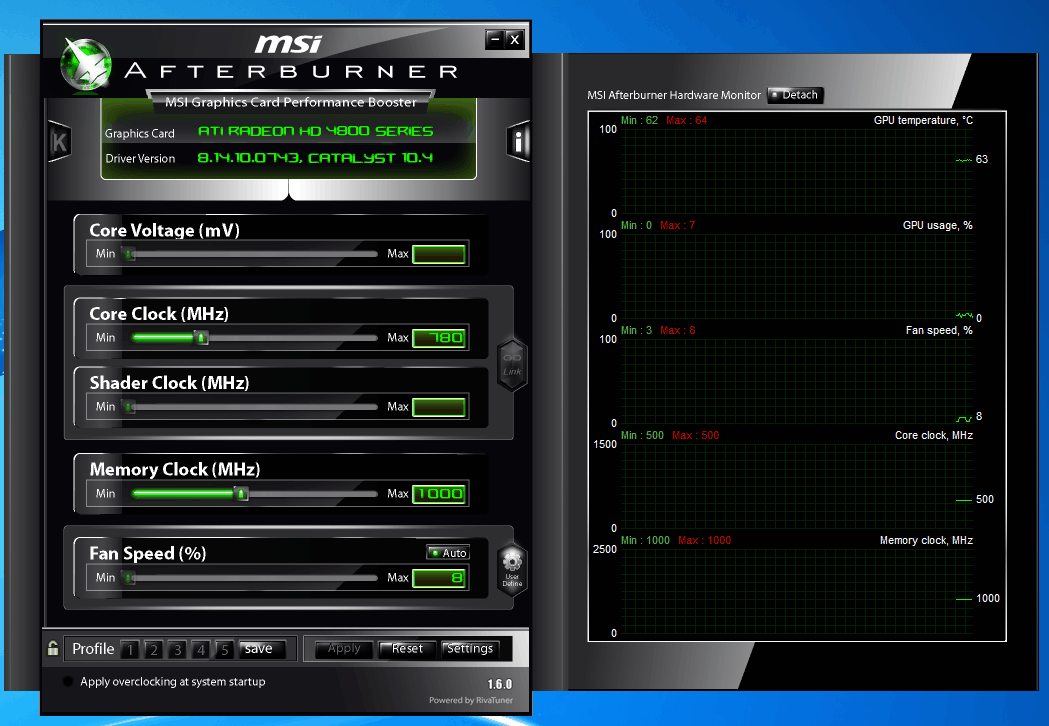
MSI Afterburner – A program for nearly every video card – and not only cards by MSI – that can be used for various purposes, including overclocking, undervolting, recording videos and reducing the speed of the video card fan to reduce the noise it generates.

msi afterburner

msi afterburner software


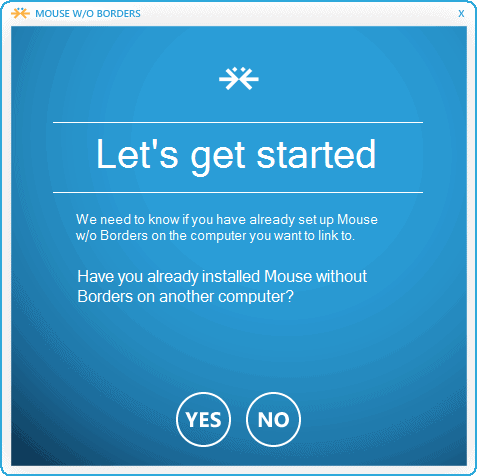
Mouse Without Borders – Official Microsoft software to use one mouse on multiple computer systems. Options to copy files and clipboard entries included.

mouse without borders


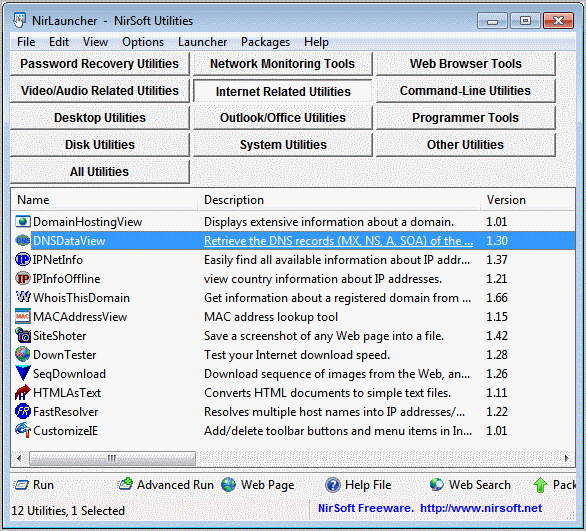
NirLauncher – A graphical user interface for all Nirsoft applications.

nir launcher


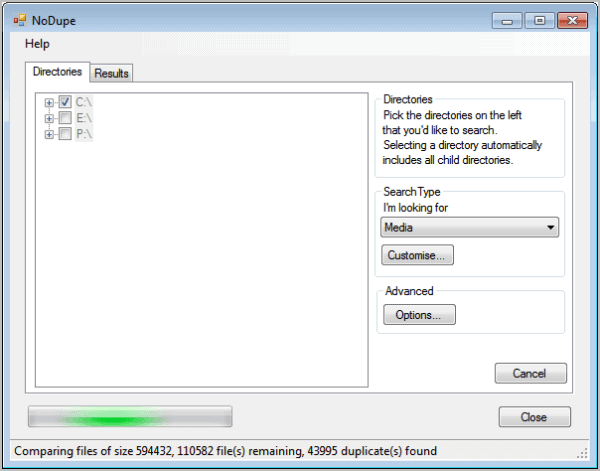
No Dupe – A fast duplicate file finder for the Windows operating system. Alternative: Dup Scout

nodupe-duplicate-file-finder


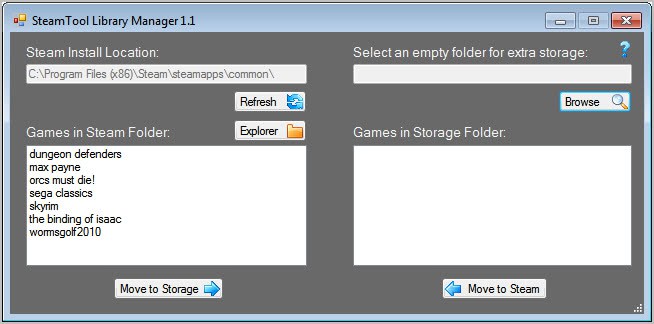
Steam Tool Library Manager – Lets you move individual Steam games to different partitions or hard drives to make room on the default Steam partition.

steam tool library manager


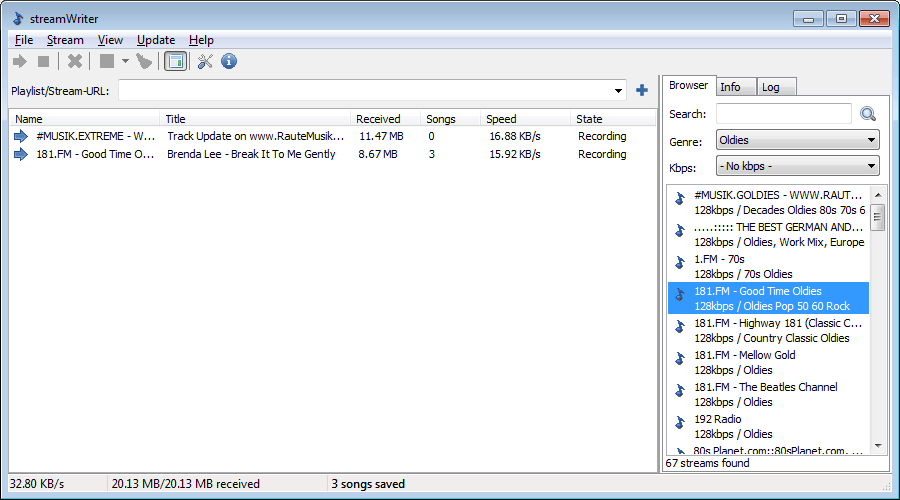
Streamwriter – Can be used to download multiple Internet radio streams at once to the computer. Great feature set, easy to use.

streamwriter

streamwriter interface


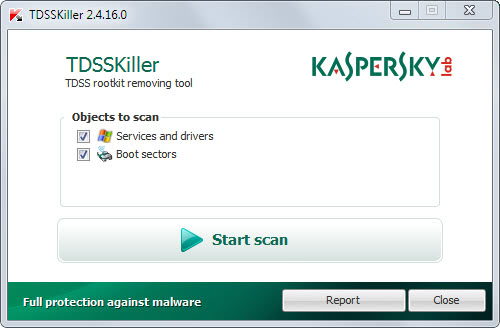
TDSS Killer – A program to remove some of the nastiest trojans and rootkits from a Windows PC.

tdsskiller


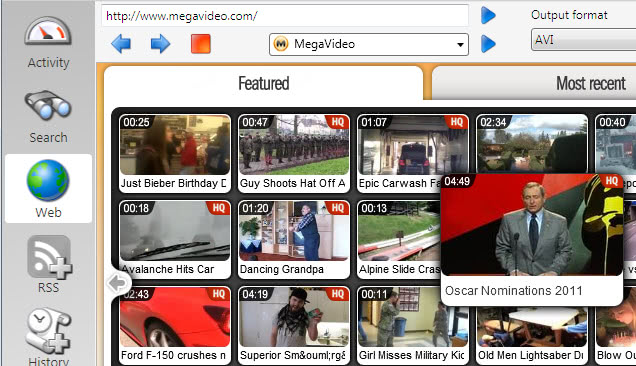
VDownloader – Excellent program to download web videos. The program can play and download YouTube videos and videos from several other sites such as Megavideo.

download videos


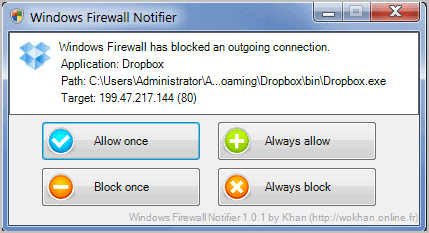
Windows Firewall Notifier – Improves notifications and manageability of the built-in Windows Firewall.

windows firewall notifier


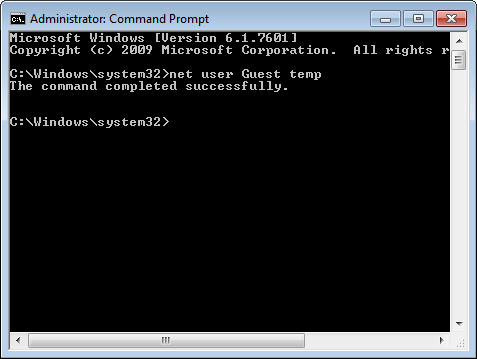
Windows Password Resetter – Use it to restore or reset Windows account passwords.

changing windows account password


WinFlushPrintJobs – Flush the printer queue to recover from stuck print jobs.

Did I miss a program? Let me know in the comments.


© Martin Brinkmann for gHacks Technology News | Latest Tech News, Software And Tutorials, 2012. | Permalink |
Add to del.icio.us, digg, facebook, reddit, twitter
Post tags:


Sunday, January 1, 2012

Add Download Links To Google+

It is fairly common to see photos, videos and other media posted on social network sites such as Facebook, Twitter or Google Plus. With so much media being posted on a daily basis and by that many users, it is only natural that some would like to download photos, images or videos directly from the site they were posted on.

While it is possible to download images directly with a right-click and the selection of the save command in the context menu, it is not that comfortable if multiple images need to be downloaded. For videos, extensions are necessary to download them right away.

The Google Chrome extension DownloadSupport for Google+ adds direct download links to Google+ posts. Icons are added to each Google+ post with media.

Three icons are added to image posts that allow you to download or open all raw images, or download a Picasa album. The latter option is only selectable if the Picasa desktop client is installed on the computer system.

download images google+

The extension failed to download all images of a post during tests. Only the first posted image was downloaded, while the remaining ones were not. The open images option did work correctly though, but only on post pages and not on gallery pages.

The extension adds a download link to videos posted on Google+ as well. Since you can only embed YouTube videos in Google Plus posts, it is displaying a YouTube button in video posts.

download videos google+

A click on the button downloads the video directly to the local computer system. This worked correctly during tests.

The extension is useful for Google+ users who want to download YouTube videos to their computer that have been posted on the social networking site. Users who want to download multiple images can open them all in the browser for easier downloading. The extension could become more useful if the download all images issue is fixed by the developer.

Google Chrome users can download the Google+ download extension for the browser from the official Chrome web store.


© Martin Brinkmann for gHacks Technology News | Latest Tech News, Software And Tutorials, 2012. | Permalink |
Add to del.icio.us, digg, facebook, reddit, twitter
Post tags: ,


The Best Firefox Tips Of 2011

Now that we have covered the best Firefox add-ons of 2011, it is time to look at the best tips for the browser as well. A lot has changed development wise in 2011. Mozilla has switched to the rapid release process after the release of Firefox 4 which has increased the version of the browser to 9 (stable) at the end of 2011. That’s five new versions in less than a year, and the prospect to see Firefox 18 to be released at the end of 2012.

Mozilla is facing more competition than ever. First and foremost from Google’s Chrome browser that is posed to overtake the Firefox web browser in market share in 2012 (depending on the stats you are looking at it may have already happened). This has not kept the organization from signing an agreement with Google to keep Google the default search provider in the coming years.

Add HTTP Back To Address Bar – Mozilla has removed the http prefix in the address bar. Here is how you can add it back.

Change Firefox’s Minimum, Maximum Tab Width – Display more or less tabs in the browser at the same time without scrolling.

Configure Firefox To Delete All Cookies On Exit But Select Ones – Cookies can be beneficial, e.g. to stay logged in, and not beneficial, for instance when they are used for tracking purposes.

firefox address bar

Configure Firefox To Install Add-Ons Faster – Save a few seconds every time you install add-ons in the Firefox web browser.

Delete Old Extension Preferences In Firefox – Extensions may add preferences to the browser during installation that do not get removed on uninstallation of the add-on. Here is how you can remove them.

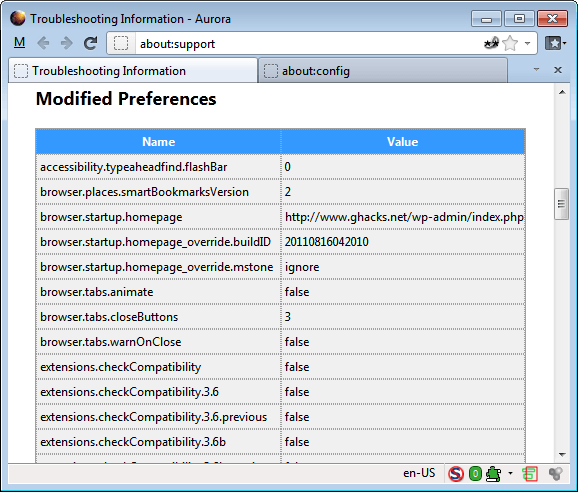
Display All Modified Firefox Preferences – Sometimes you may only want to display modified preferences in Firefox to quickly change or reset them.

firefox modified preferences

Don’t Like The New Firefox Button? Then Change It! – How to change the Firefox button.

Firefox, Thunderbird Lagging? Lag Fix Inside – If you are experiencing lags in Thunderbird or Firefox, you might want to try this fix.

How To Downgrade Firefox Add-ons – This explains how to install an older add-on version in the browser. Can be useful if the new version has bugs, is incompatible or features that you do not like and do not want to use.

How To Run Firefox Stable, Beta, Aurora And Nightly Simultaneously – Firefox is offered in four different channels, and even some special test versions. (see also How To Create Multiple Firefox Profiles For Specific Tasks).

How to setup a Firefox Test Environment – A test environment can be useful for various purposes, for instance to test add-ons or browser related settings, or to divide different usage scenarios (e.g. work and after-work).

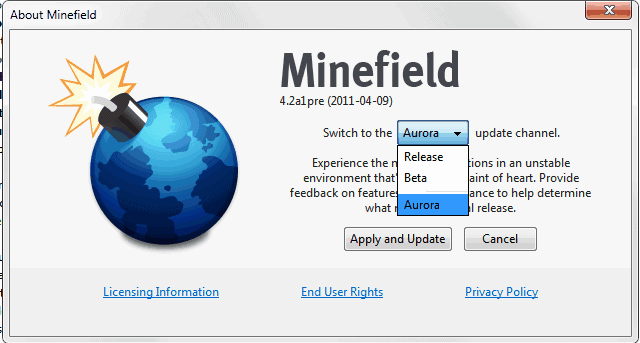
How To Switch Firefox Update Channels – How to switch between Nightly, Aurora, Beta and Stable channels of the browser.

firefox release channels

How To Tweak The Firefox Address Bar – A detailed tutorial on customizing the browser’s location bar.

How To Uninstall The Babylon Toolbar Completely – A detailed uninstallation guide.

The Best Firefox Privacy Add-Ons – A list of privacy related add-ons for the Firefox web browser.

The Best Firefox Security Add-Ons – The best security add-ons for the browser.

Why Are 2 Plugin-Container.Exe Processes Running? – Explains why you may see more than one instance of Firefox’s out-of-process plugin process running on your system.


© Martin Brinkmann for gHacks Technology News | Latest Tech News, Software And Tutorials, 2012. | Permalink |
Add to del.icio.us, digg, facebook, reddit, twitter
Post tags: ,


The Best Firefox Add-Ons Of 2011

We have almost hit the one post per day mark in 2011, with 352 posts published that covered the Firefox browser in one way or another. Not all of the posts were add-on reviews though as we have covered Firefox news, updates, and cross-browser related news as well here on Ghacks.net.

What better way to start the New Year with a look back at some of the best Firefox add-ons that we have reviewed here in 2011. Please note that this list may include add-ons that have been around for a longer time. The only qualifying factor is whether they have been reviewed on Ghacks in 2011 or not.

Each add-on is listed with its name, a short description, link to the review and direct link to the Mozilla Add-ons repository.

identity logo firefox

The Best Firefox Add-Ons Of 2011

Add Bookmark Here – Better Firefox bookmarking. [link]

Add-on Compatibility Reporter – Force Firefox add-on compatibility. [link]

Boounce – An extension that can be used to switch between search engines in the browser.[link]

Clearly – A readability extension for the Firefox browser. [link]

Dormancy – Unload Firefox tabs that are not used for a set amount of time. [link]

Firefox Image Preview – Display larger image previews on mouse over. [link]

Gui Config Access about:config preferences in a better interface. [link]

History Disable Button – Disable the recording of history in the browser selectively. [link]

HTTPS Everywhere – Force HTTPS connections for select sites that support it to increase browser security. [link]

Multi Links – Open multiple links at once based on your own preferences. [link]

Preferences Cleaner – Delete preferences from uninstalled add-ons to speed up the browser start. [link]

Save File To – Allows you to save files to user-defined folders based on file type. [link]

Scriptish – A Greasemonkey fork, promises better performance. [link]

Session Manager – Save and load Firefox sessions manually or automatically. [link]

What’s That Preference – Links Firefox preferences in the about:config listing to MozillaZine Knowledge Base article. [link]

Is anything missing on that list? Let us know in the comments.


© Martin Brinkmann for gHacks Technology News | Latest Tech News, Software And Tutorials, 2012. | Permalink |
Add to del.icio.us, digg, facebook, reddit, twitter
Post tags: